RequestBite Tunnel
Easily expose the services you have running on localhost and more through a RequestBite Tunnel and make them accessible over the Internet in seconds - all using the RBite CLI.
Works without an account
While a paid account super-charges your service with named persistent tunnels that dynamically support multiple local ports and real-time hostname rewrites, you don't need an account to make your localhost services publicly accessible from the Internet.
Sign up nowIt's all HTTP
The RequestBite Tunnel is a persistent and lightweight websocket connetion established between the RBite CLI and our tunnelling servers. It allows you to expose HTTP, SSE and websocket connections all through a publicly accessible and sharable endpoint - properly secured via HTTPS.
Also, the RBite CLI has a built-in file- and webserver that allows you to easily share and receive large files, as well as serving both file-based and SPA-style static websites from your machine.
TBDHow it works
Expose your localhost in these easy steps:
Step 1 - Install the RBite CLI
Install the RBite CLI like so:
Step 2 - Expose your local service
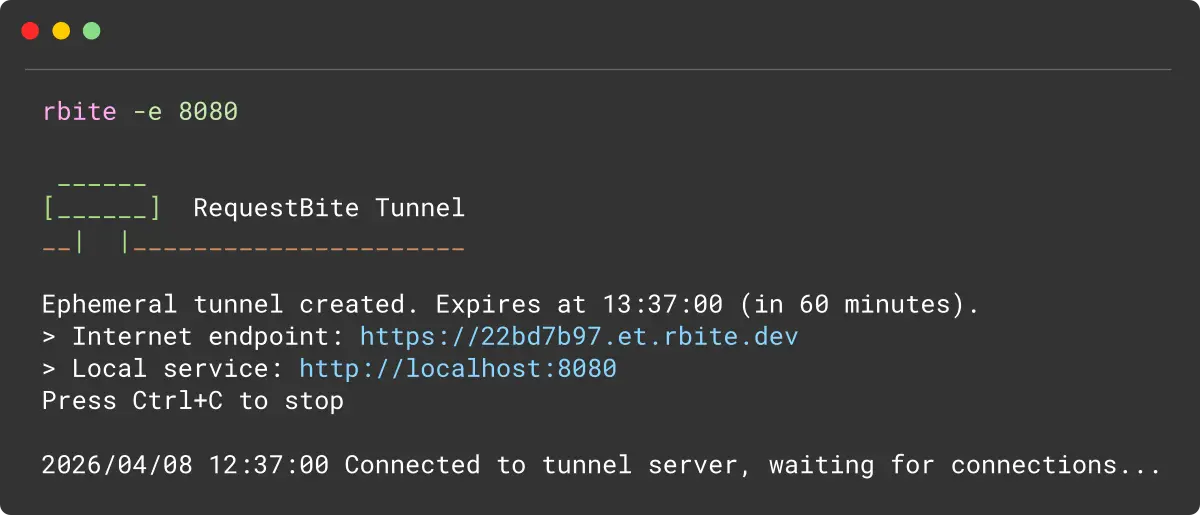
If you have a service running on port 8080, expose it like so:
Step 3
There is no step 3. It's just that simple.
Read the docs
If you read this far, why not have a look at our stellar documentation where you can read everything there is to know about RequestBite Tunnel.
Learn more